
Pinellas Released Mugshot Records
A booking photograph records how a person appeared during a specific booking. It can be public under Florida's general public-record framework, subject to exemptions, sealing, expunction, juvenile confidentiality, victim protections, and other limits. The photo does not show whether the charge led to a conviction. It also does not prove that the person remains in Pinellas County Jail.
PCSO's Arrest Inquiry includes current detainees and people released during the prior 30 days. A recent official detail can render a booking image along with the docket, booking date, charge data, and status line. The status timestamp is the local release evidence. The image is only one field from that booking. After the online window, PCSO directs older requests to its Records Request Portal.
Florida Chapter 119 supports inspection and copying of public records under reasonable conditions, while exemptions can require redaction or withholding. A missing image is not proof that no booking occurred. Ask for the booking photograph tied to a named docket and date, then ask for the release record separately.
Where Pinellas Release Photos Appear
Choose the channel that created the image. A PCSO photo belongs to a county booking. An FDC photo belongs to a state corrections record and may have been taken at a different time. The FDLE registry is a specialized legal registry, not a list of all released people. Commercial pages and general news can surface copies, but they are not release records and should never displace the official source.
| Channel | Has photo? | How to access |
|---|---|---|
| PCSO Arrest Inquiry | Often on a recent booking detail | Search the known person or docket within the 30-day released window |
| PCSO records request | Request when available and public | Specify the booking photograph, docket, and booking date in GovQA |
| FDC offender detail | Often | Match the DC number and state release fields; it may not be the county photo |
| FDLE registry | For people legally listed | Use only for the specialized registered-offender population |
| Official PCSO news | Sometimes | Search selective agency announcements, then confirm the booking and outcome |
| Commercial or general news pages | Sometimes | Treat as discovery only; verify against PCSO, FDC, and the Clerk |
VINELink may display identity or agency status information, but the research does not establish it as the Pinellas booking-photo archive. Confirm PCSO participation in the live Florida agency picker and use the sheriff or FDC source for the actual image.
Pinellas Sheriff Photo Search
The official PCSO Arrest Inquiry is the main local online channel. It is not a dedicated mugshot gallery or a separate recent-release feed. Search by name, docket number, or booking date, then open the correct episode. Compare name, docket, booking date, arresting agency, and charge or case number. The detail's status line can show a release timestamp and mechanism, while the image remains tied to the arrest episode.
Do not use the booking-date input as a release-date census. Someone booked earlier and released today could be missed. PCSO states that released people stay in the inquiry for 30 days, but it does not promise that every image persists for that full span. Save the official identifiers and request the source record when the photo is missing.
No verified PCSO jail-search mobile app was found. SmartInmate is a communications service, not a public Pinellas mugshot lookup. Its post-release download option concerns the released person's own messages, photos, and scanned mail. The FDLE mobile app covers its own datasets and is not a PCSO release-photo feed.
The Pinellas County 24-Hour Release List method explains why the 30-day inquiry is not a true same-day feed and how to read a recent status timestamp.
Note: Use the web inquiry rather than an unverified app, and match the booking episode before treating any image as official.
Request a Pinellas Booking Photo
For an older Pinellas release or a detail without an image, use the PCSO GovQA Records Portal. PCSO also accepts public-record contacts by phone at 727-582-5865, by email at prr@pcsonet.com, in person at 10750 Ulmerton Road in Largo, or by mail to the Public Records Processing Unit, P.O. Drawer 2500, Largo, FL 33779-2500. A narrow request reduces identity errors and helps staff locate the episode.
- Identify the person by full name and add the PCSO docket number if known. Include the approximate booking date or a narrow date range.
- Ask for "the booking photograph associated with docket/booking [number and date]." Do not ask only for every mugshot under a common name.
- Request the booking sheet and release screen or log separately if release confirmation is also needed. Include the exact release date, time, type, and receiving agency fields.
- Submit and retain the portal tracking number. PCSO will advise what is available and any cost, and payment is required before production.
- If the image or booking is restricted, ask which exemption or court order applies. Use the Clerk case for the public disposition.
No fixed PCSO price or delivery time is published for this exact photo package. Florida section 119.07 contains general copy charges and permits a reasonable special-service charge for extensive work, but it does not justify promising a set price for one electronic request.
When release confirmation matters too, follow the Pinellas County released-inmate search and record process and keep the photo request separate from the release-log request.
Pinellas News Photo Limits
PCSO Agency News may publish a photo with a public-safety announcement. Publication is selective. It does not form a full archive of Pinellas County released inmate mugshots, and an announcement may describe an arrest without providing the later release or court result. Search the official agency channel, then return to the PCSO booking detail and Pinellas Clerk case.
The official PCSO news channel is shown below as a local discovery source.
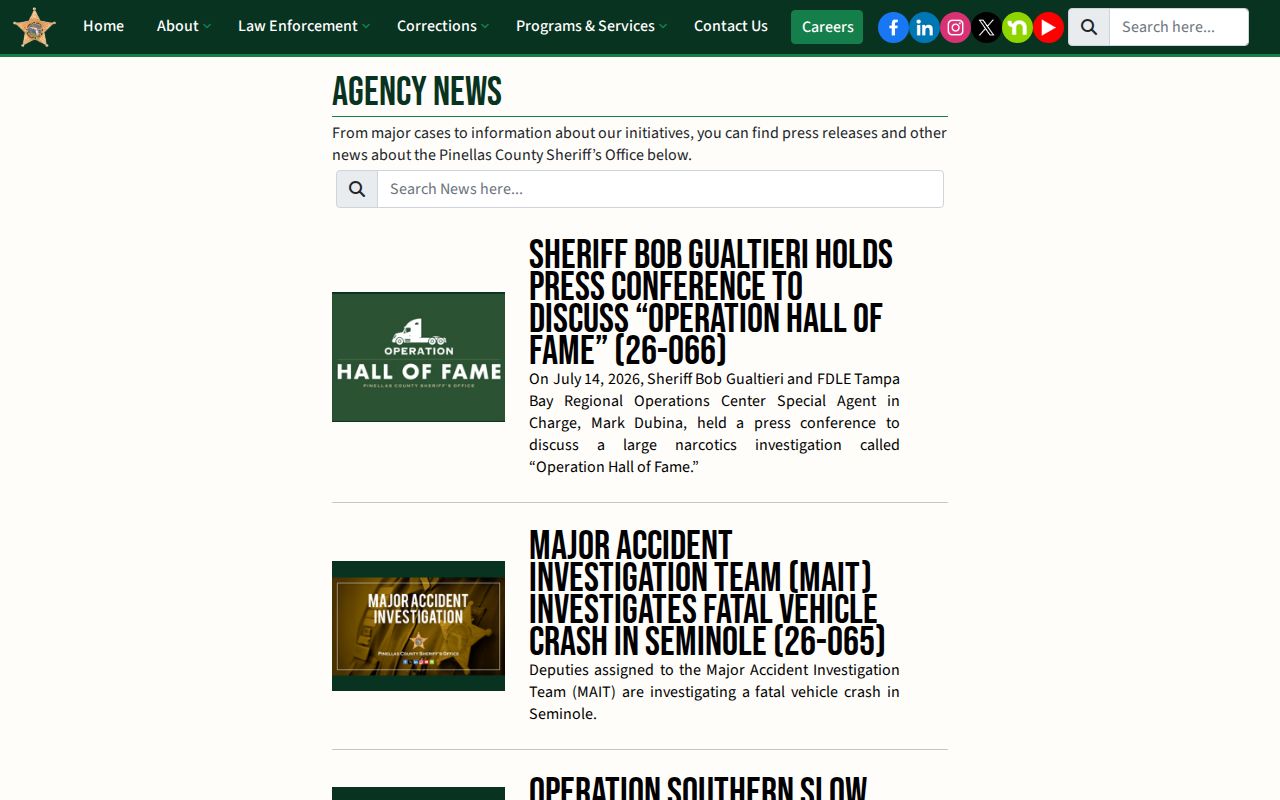
The screenshot illustrates the agency news route, not a complete release-photo index. A photo there must still be matched to the booking and legal outcome.
Commercial aggregators can keep stale photos, misidentify a person, omit corrections, or detach an image from the case result. No commercial mugshot publisher is linked or endorsed. If a photo is first found through an unofficial source, compare it with PCSO or FDC and then read the Clerk disposition. General local news should be treated the same way.
Florida Mugshot Removal Law
Florida Statutes section 901.43 targets covered commercial booking-photo publishers. Such a publisher may not solicit or accept payment to remove a booking photo. The subject or a legal representative can send the statute's registered-mail request with identification and the specific image. A covered publisher must remove it without charge within ten calendar days and may not republish it.
The law permits court relief and civil penalties, but it does not make every sheriff booking photo confidential. It also does not turn a commercial page into an official custody source. Do not pay or endorse a removal vendor as a way to verify release.
The official statute sets out the Pinellas County booking-photo removal route for covered publishers. The Florida commercial booking-photo law is shown below.
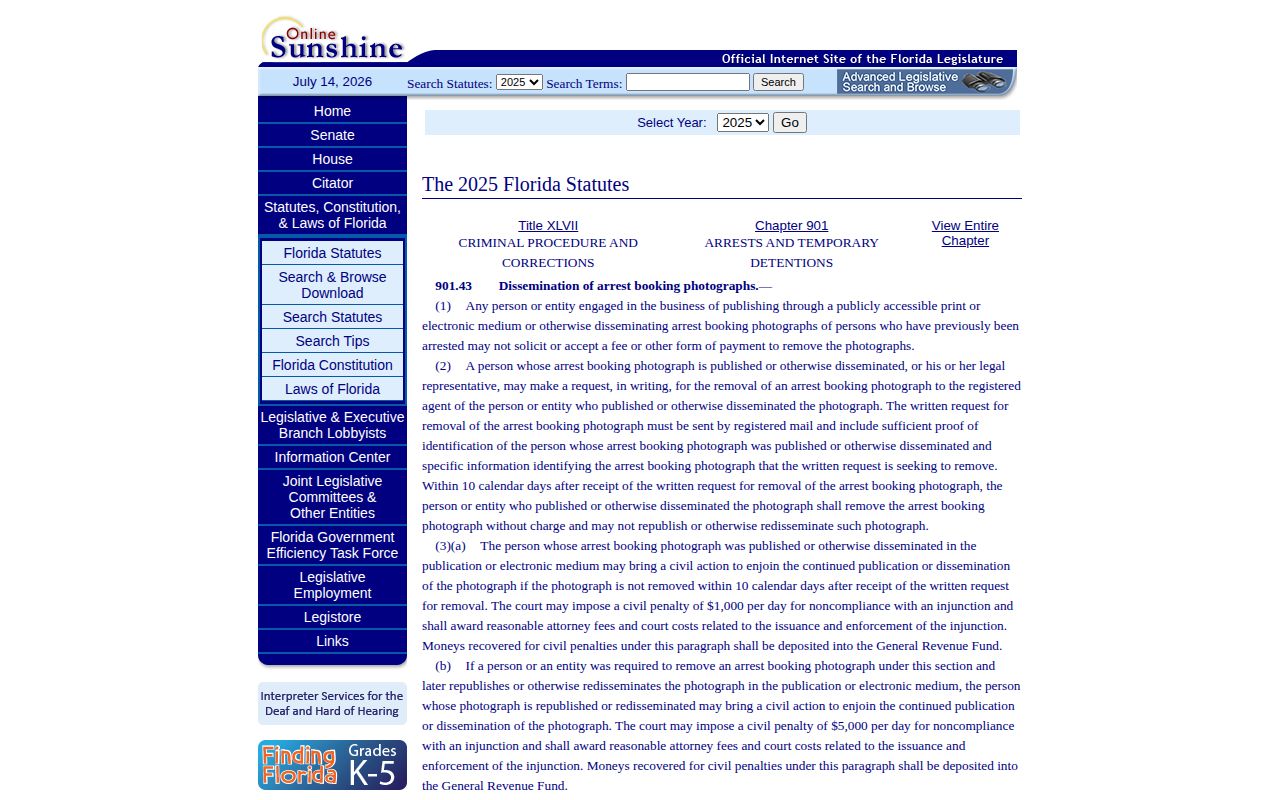
The statutory request is aimed at covered commercial publishers. Official agency access depends on public-record law, exemptions, and any sealing or expunction order.
Pinellas Mugshots After Expungement
Pinellas County publishes a local seal-and-expunge checklist. The process begins with an FDLE eligibility packet and certificate, plus a certified final disposition. After the certificate is issued, the petition is filed at the Pinellas County Justice Center. The checklist lists a $75 FDLE charge, and the Clerk schedule lists a $42 local court filing charge, with copy and certification costs added when applicable.
Sealing makes a covered record confidential and exempt from ordinary public access, subject to statutory exceptions. Expunction generally directs covered agencies to destroy or obliterate the record while FDLE keeps a confidential record. Neither process should be described as instant deletion of every reference or copied news image. Eligibility and scope turn on Florida law and the court order.
Once an order is entered, send the exact order to the agency or publisher that still displays the image and identify the precise page. For a PCSO image, use the agency's records channel. For a covered commercial publisher, use the section 901.43 process when it applies. The source that holds the image must assess the request.
Note: A sealed or expunged case can explain a missing photo, but a missing photo alone does not prove either status.
Pinellas State Corrections Photos
An FDC offender detail may retain a photograph after state release. That image belongs to the state corrections record and may not match the photo from a Pinellas County booking. Use the DC number, Release Date, Date Out-Custody, sentence county, and case number to establish which record is shown. FDC's Inmate Release search is the state-prison release path, while the current Inmate Population search serves current state custody.
The FDLE Sexual Offender/Predator Registry can also show photographs, aliases, and legal status for people required to register. It is specialized. A status such as Released Subject to Registration has a defined registry meaning and cannot be generalized to other released people. Use the registry only when the person is legally within that dataset.
These state records do not replace the PCSO booking photograph or release log. If the question concerns a Pinellas jail arrest, request the county photo. If it concerns state prison release, use FDC. Keeping the image source attached to the correct custody episode prevents a state photograph from being mislabeled as a current county mugshot.
Pinellas Mugshots and Court Outcomes
A Pinellas booking photo should be paired with the correct Clerk case. Use the PCSO court case number rather than a name-only match. The Clerk's Public View can show bond action, release orders, disposition, judgment, sentence, credit for time served, probation, and termination. Those records explain the case result that a photo cannot show.
For older closed cases, Public View offers an Include Inactive Cases option. Some documents appear as View on Request, and older unimaged files have an email request path. A missing document icon need not end the search. Redaction, sealed access, and other legal limits can still apply.
One person can have several booking episodes and several images. Match the docket, booking date, case number, and arresting agency each time. A later booking photo does not replace the older episode, and an old photo should not be used to imply a new arrest or current custody.