
Pinellas VINELink Release Coverage
VINE means Victim Information and Notification Everyday. VINELink is its public web interface. Florida Department of Corrections serves as the statewide VINE administrator and reports movements for its corrections population. County coverage is agency-fed. Before depending on a Pinellas County Jail alert, select Florida and confirm that the Pinellas County Sheriff's Office or jail appears in the current agency picker.
State availability alone does not prove that every county agency is active. No PCSO source in the local research independently documents its present VINELink feed. If Pinellas does not appear live, use PCSO Arrest Inquiry for a recent county booking and the sheriff's records portal for archived proof. For a state prisoner, choose the FDC-linked record. VINELink is not the source for a BOP federal inmate or an ICE custody check.
- VINE
- The notification network that receives custody events from participating agencies.
- VINELink
- The public interface used to search a person and register for offered alerts.
- Reporting agency
- The jail or corrections system whose custody event appears in the result.
- Release event
- The end of that reporting agency's custody, which may still lead to transfer or supervision.
Note: Confirm Pinellas County Jail participation in the live picker each time because agency availability can change.
Search a Pinellas VINELink Record
This is a one-person check. Start with the custody system, then match the person. A Pinellas jail booking and an FDC prison record are different episodes even when they share a name. Use an offender, docket, or DC number when the interface and source records provide one. If several people match, do not choose by photo alone. Compare name, agency, identifier, and any available personal or case details.
- Open VINELink and choose Florida from the location interface.
- Select the agency or custody source. Use Pinellas only when the sheriff or jail is offered live; use the FDC-connected source for state custody.
- Enter the name or identifier fields shown. Begin with the most reliable spelling and number available.
- Review every likely match. Confirm both the identity and the reporting agency before opening the record.
- Read the current status and latest movement. Note the event wording and the time checked.
- Verify a release with the PCSO timestamp, FDC Release Date, or the underlying release or court document.
The official VINELink interface shows the Florida, agency, and person-search path.
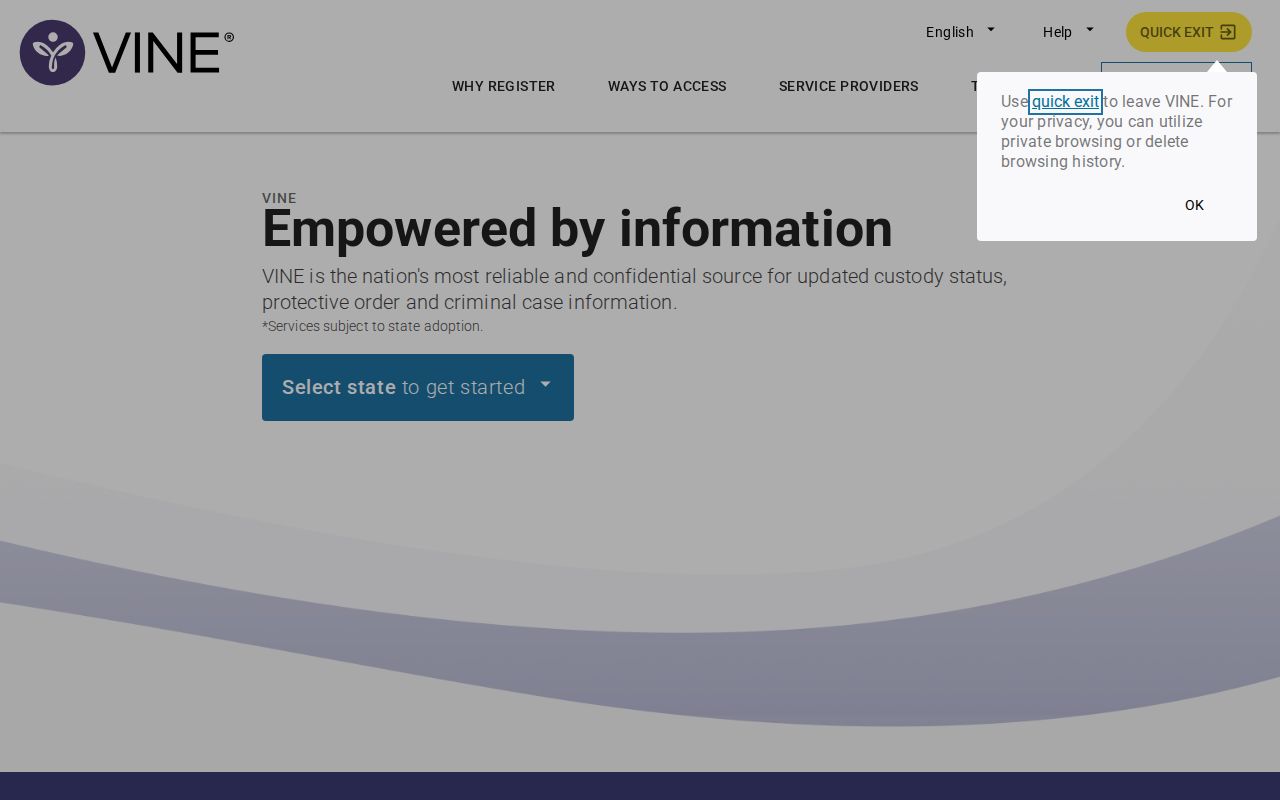
The screen is the proper starting point for a Pinellas VINELink check, but the selected agency controls what the result can establish.
Pinellas VINELink Release Fields
Labels vary by participating agency and record type. The core task is to preserve the agency's wording. A “released” result means release from that reporting source. It may not say whether the person moved to another jail, entered FDC, began community supervision, or reached a final court disposition. Never turn a short event label into a broader claim.
| Field or element | What to verify |
|---|---|
| Name and identifier | That the alert and event belong to the intended person. |
| Reporting agency | Whether the source is Pinellas County Jail, FDC, or another participating agency. |
| Custody status | The agency's current label, such as in custody or released. |
| Facility or location | Where the reporting agency places the person, when that field is supplied. |
| Latest movement | A reported release, transfer, court movement, escape, death, or other change. |
| Event date or time | When the reporting source says the movement occurred or posted. |
| Notification options | Which phone, text, or email channels are offered for that record. |
For a Pinellas jail episode, compare a VINELink event with PCSO Cell Location/Status. That sheriff field can include the actual release timestamp and mechanism. For a state episode, use FDC Release Date and Date Out-Custody. The Clerk docket supplies the legal order or disposition. A name disappearing from a result, standing alone, is not enough.
Register Pinellas Release Notifications
Registration must begin on the correct person record. An alert tied to a same-name person or wrong agency can mislead. VINELink presents the channels available for that record. Florida FDC materials describe telephone, text, and email choices. Complete every confirmation step and retain the registration details. Contact information must remain current for the notice to arrive.
- Open the verified person record and choose its register or notifications control.
- Select an offered channel, such as telephone, text, or email, and enter the destination carefully.
- Complete the verification prompts. For FDC telephone registration, set the four-digit acknowledgment PIN.
- Save the confirmation. Do not publish or share the PIN.
- Update VINELink and FDC separately when contact details change because information entered in one may not flow into the other.
- When an alert arrives, read the agency and event, then confirm the movement at the source.
Telephone notices under the official FDC form continue until the four-digit PIN acknowledges the call. If no PIN is chosen on that paper form, the default is the telephone number's last four digits. Text and email notices do not repeat in the same way. These PIN rules come from the FDC notification route and should not be assumed for every county interface.
Note: A notification is only as useful as its person match, reporting agency, current contact details, and saved confirmation.
Florida VINE for Pinellas Releases
FDC offers a separate official victim-notification request for movements in its corrections population. Its event list includes release, transfer, escape, death, and out-to-court. The route has eligibility and information requirements. People not using that FDC victim-request process can use VINELink for public custody information and offered notices. These routes overlap, but their registration files are not the same.
The FDC Victim Notification Request shows the state movement and contact layer.
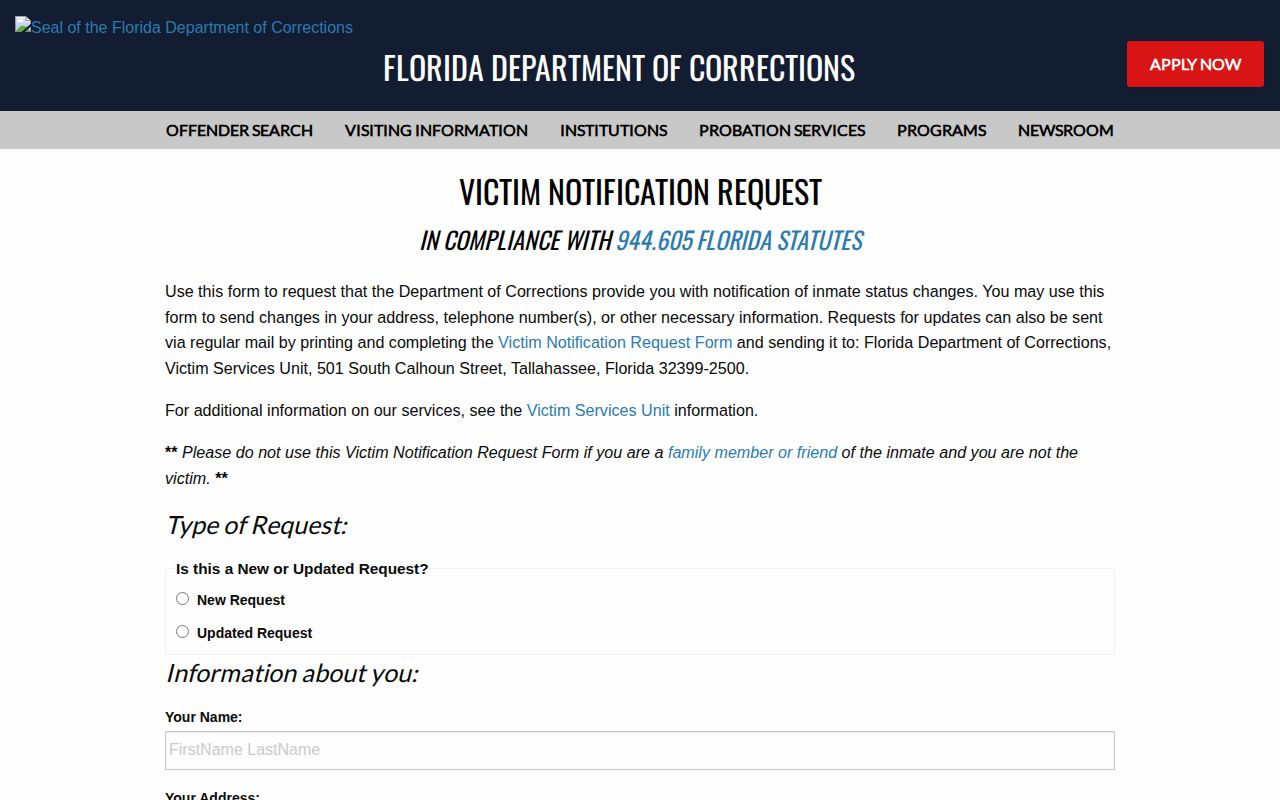
The FDC screen applies to state corrections events. It does not convert a Pinellas County Jail booking into an FDC record.
Florida's form warns that a direct VINELink registration is not automatically shared into the FDC Victim Services database. Updating only one can leave the other with old contact information. FDC Victim Services can be reached at 1-877-884-2846 on weekdays from 8 a.m. to 5 p.m. Eastern. The Florida VINE information line, 1-877-846-3435, operates around the clock.
Pinellas Release Alert PIN
The PIN is an acknowledgment tool, not an offender identifier. On the official FDC notification form, the registrant chooses four digits for telephone calls. The automated call repeats until those digits confirm receipt. If the registrant leaves that field blank on the form, the last four digits of the phone number become the default. Keeping the PIN private helps prevent someone else from stopping the call cycle.
The official FDC VINE form also documents phone, text, and email options.
The image supports the state PIN process. County options should still be read from the live VINELink record rather than copied from the FDC form.
Missing Pinellas VINELink Results
A missing result has several possible causes. The selected agency may not participate, a recent event may not have reached the feed, the name may differ, or the person may be in a custody system outside VINELink's coverage. Start by confirming Florida and the reporting agency. Then retry documented spellings or the correct identifier. Do not treat absence as proof of release. A person can remain in Pinellas custody, transfer to another custodian, or have a record that requires a direct agency search.
Use a custody-first fallback. For a Pinellas jail booking, PCSO Arrest Inquiry takes a name, docket number, or booking date and retains released-person records online for 30 days. The detail's Cell Location/Status line is stronger proof than a missing VINELink match. For older county events, request the release screen, exact time, mechanism, authorization, and receiving agency through PCSO GovQA. For state custody, search FDC by the six-character DC number when known, then read the applicable population, release, or supervision result.
Identity checks still matter. Match at least two reliable keys, such as full name plus docket, DC number, booking date, date of birth, or case number. PCSO records a booking episode, FDC records a corrections episode, and the Clerk records a court case. Their dates can differ without conflict because court action, jail clearance, physical release, transfer intake, and publication occur at separate stages.
Note: A failed person search calls for an agency-specific check, not an assumption that the person was released.
Confirm Pinellas VINELink Releases
VINELink is an event-notification layer, not a certified release record. An agency feed can lag. A result can also describe only one custodian. Release from Pinellas County Jail may lead to FDC, another county, USMS, or ICE. Release from FDC can lead to community supervision. Neither event alone resolves the criminal case.
Use the source that created the event. For a recent Pinellas jail release, search PCSO by name or docket and read the exact status timestamp. For state prison release, use FDC's Inmate Release search and preserve Release Date plus Date Out-Custody. For the court outcome, use the Pinellas Clerk Public View. Each record answers a narrow question. The Pinellas County released-inmate record path shows how those sources fit together when the receiving agency is unclear.
| Custody episode | Confirm with |
|---|---|
| Pinellas County Jail | PCSO Arrest Inquiry within its recent window, then GovQA for archived records. |
| Florida state prison | FDC Inmate Release record, dates, and incarceration history. |
| Federal custody | BOP Inmate Locator and the federal case record. |
| Immigration custody | ICE Online Detainee Locator and case documents, subject to locator limits. |
| Case disposition | Pinellas Clerk docket, filed order, judgment, or sentence. |
For VINELink technical help, the service lists 1-866-277-7477 for round-the-clock operator support. Support can help with the interface or registration. It cannot replace the reporting agency's custody record.